Being a man with an inappropriately disproportionate level of nostalgia, I’ve always been a fan of all things old and classic. Also being one who embraces all things new and technological, I would verynaturally be drawn to the designs of the Guillotine. As such, I found myself researching wooden keyboards. Then the idea struck me: why not make the mouse out of wood too? And what about my monitors? After all, it was done in a film already.
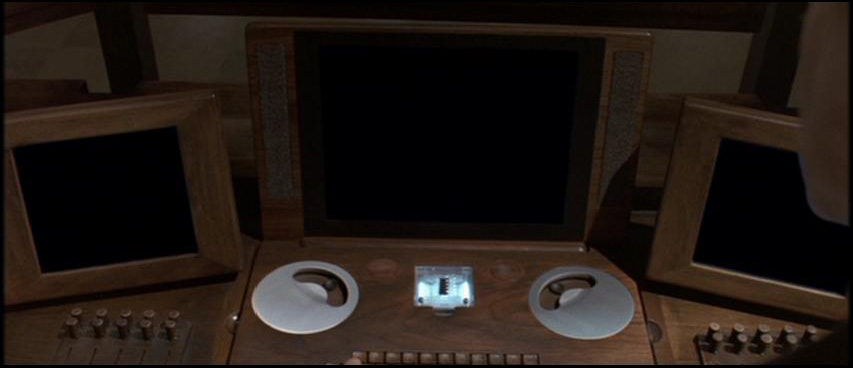 In the film The Final Cut, one of the main props that was created for the film was the Guillotine. The Guillotine is a computer designed for cutting and editing the footage imported from a decedent’s Zoe Implant. Considering that the Guillotine is one of the most important props to the film, it was designed with great attention to detail. The Guillotine is a computer housed in wood, technology that is “couched in the familiar” as production designer James Chinlund puts it.
And using the Guillotine as an inspiration, I started to fantasize about some day creating my own version of the Guillotine. Apparently the wood used for it was oak. I’d set up my own computer workspace similar to the Guillotine. Let’s go through this step by step, first with the displays.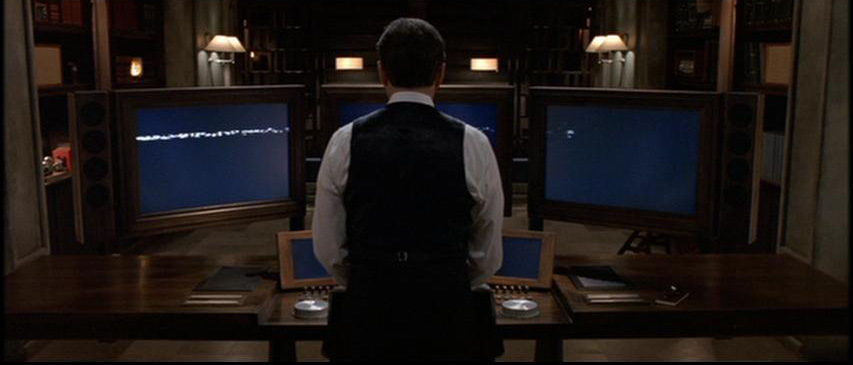 I’d use three monitors: no need for the two smaller monitors that appear in the film. A large center monitor, maybe a 30″ one, will serve as a main screen that handles primary activity such as web browsing, watching videos in fullscreen, gaming, Photoshop, and working on documents. A 24″ monitor on the left will serve more static needs, primarily iTunes and opening folders, as well as IMs. Also a large calendar and clock/date display. And lastly a 24″ monitor on the right will display things like TweetDeck, Microsoft Outlook, and a secondary browser. I do like how the wood housing the monitors is carved to give the impression that it is a frame for a piece of art.
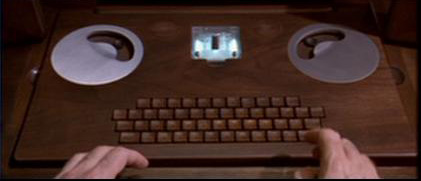 Then comes the keyboard. A nice wooden keyboard with keys flush with the surface of the table. Keys should have their letters carved in. Having the keyboard set into desk itself has a couple of advantages. Firstly, you don’t see the ugly cable running to the computer. Secondly, you don’t need a wrist rest.
I would consider using a trackball as a mouse. This affords me a more integrated look, as if everything were all one piece. However, I would probably want to switch over to an actual mouse should I want to game. Either way, I’d leave the trackball off to the right where my hand would be, as opposed to in the center as on the Guillotine.
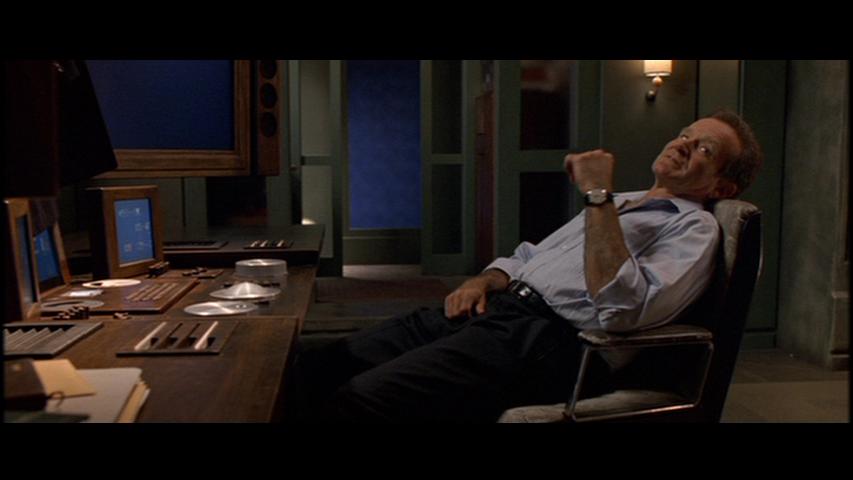 I could also mount slot-loading optical drives facing up to emulate the way Zoe implants are inserted when read. Two drives on the right hand side should do just fine. The only thing is I don’t know if mounting them that way would affect performance,though I don’t imagine they would. A media card reader would be installed on the left side, aligned horizontally and oriented vertically the same way the optical media drives are. But with dust a concern, perhaps a sliding cover could be worked into the design.
I’d also want a space to put my laptop. So in the same space that the Guillotine laptop is docked, I would carve out a space for the laptop so that the bottom half sits flush with the surface of the table. Because I don’t intend to ever have a laptop that is capable of being a desktop replacement, it would not be integrated into the system, which means I would still be using it all on its own, through the built-in keyboard, touchpad, and display. This is actually something I tried with my MacBook Air (I like iCal better than Outlooks calendar program), but my Dell 2408WPF isn’t tall enough that I can see past the MacBook Air’s screen when it’s set down on my desk.
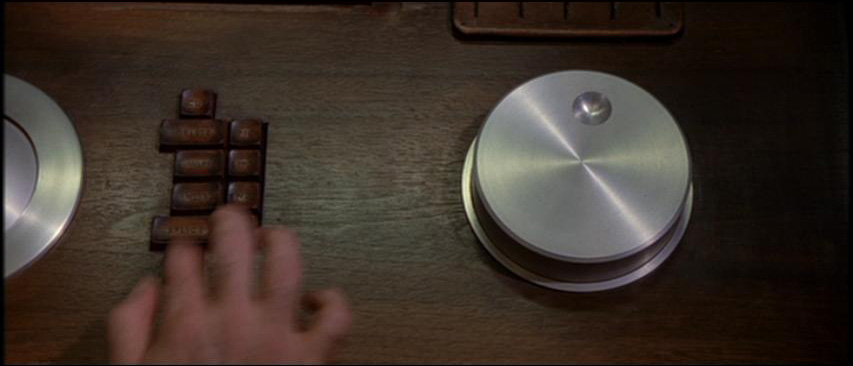 As for the jog dials that are built into the Guillotine, well, I don’t have any use for them. I do own the ShuttlePro, but I don’t envision needing to cut and edit video: I’m not a professional. And even as a hobbyist, I don’t have nearly enough footage to work on to justify building the jog dials into my workspace.
On to the USB ports. I would build that into surface of the desk, again some kind of sliding cover. Additionally, I would probably build an iPhone dock into the surface. I’m thinking somewhere on the left but closer towards the center (while still underneath the left monitor) to double as a clock.
The actual guts of the computer would be installed onto a tray that slides out from the inside of the table. Actually, considering the height of graphics cards and everything, the table would have to be rather thick in order for it to have space to house the guts of a computer, so I’d probably just install it into a drawer-like compartment that slides out from underneath the table. This makes it much easier to service than an actual case.
Speakers would ideally be mounted onto the wooden cabinets that house my monitors, though that might not be feasible due to their size and heft. In which case, I suppose they’ll be placed on wooden stands like the rear speakers would be. What type of wood would I use? I’m thinking a very dark walnut, and no shiny lacquer finishes or anything. Just nice and smooth, matte.
And I think that about covers it…someday, I’ll bring this vision of mine into reality. Until then, I’ll just be looking at these wooden computer peripherals.
Wooden mouse / keyboard for the budget-minded set
Japanese wooden computer peripheral products
Engadget – Wooden input peripherals
P.S. I think it’s funny how Contour Design rebranded their ShuttlePro and made up some story about it being a medical device now.
Updated Thoughts. 7 June 2013. I think that, with the advent of the Thunderbolt connection, one could use the Macbook Pro with Retina display as the main computing device. Since my original post, laptops have gotten plenty more powerful: if you wanted to, you could easily edit video on aforementioned machine. In the film, the Guillotine is set into a cutout on the desk, which automatically connects all the peripherals to the laptop. The same effect could be achieved if one wires a Thunderbolt connector to the left side of the inlay; in fact, all ports should be wired this way. The user would have to slide the MacBook to the left in order to secure that connection between the cable and the laptop, which isn’t nearly as elegant as laying it down and having some kind of magnetic dock connector do all the work. I imagine that this movement would best be achieved using a kind of sliding rail attached to a snap-fit sled to which the laptop would fit into. Of course, this configuration would mean that you have to forgo the wooden keyboard. As for the three main displays, there is no doubt that I would choose the gorgeous 27″ Apple Cinema monitors. The only problem is that they have aluminum stands: they’ll have to be removed, but that’s easy enough with tutorials on YouTube.
I could imagine an alternate configuration that would still allow for a wooden keyboard though. Rather than using the laptop’s keyboard and trackpad, you could still create an inlaid space in front of the laptop bay where you would install the wooden keyboard and a trackpad. This Bluetooth wooden keyboard seems to fit the bill quite nicely, and it seems rather affordable too!
